
Green Line Equip1.3.3 - App Store
You'll be able to see results in few seconds.
Publisher Description
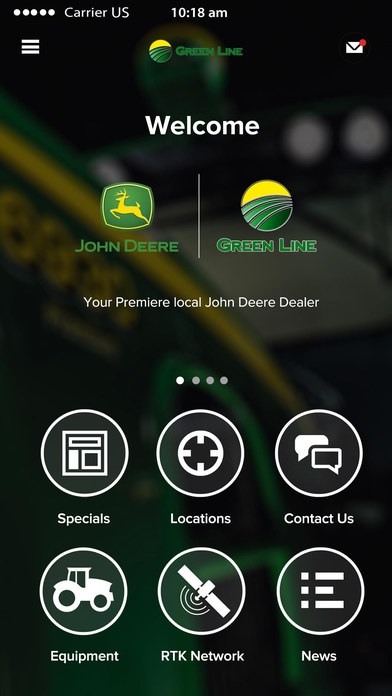
Your local John Deere specialist in Nebraska Using the Green Line Equipment application you ll have instant access to Parts, Services and online machinery support from local dealers 24-hours a day.
Get weather updates, stay in the loop with commodity prices, peruse equipment specials, or even browse our collection of useful farming PDF resource guides.
It s like having a John Deere dealership in the palm of your hand.
Features of the Green Line Equipment app:
+ Dynamic maps - Locate RTK Towers and get turn by turn directions to your local dealership
+ 24/7 Customer Service Link directly to your local parts and service representative from your mobile, anywhere, anytime, 24 hours a day
+ News, weather and commodity updates - Stay informed with local agricultural news, useful blogs, and practical how-to-guides
+ Purchase new and used equipment directly from your mobile device
+ Phone or email any staff member, in any department 7 days a week
Plus if you re an existing Green Line Equipment customer with a premium per acre services account, you ll also have access to the following precision farm management tools:
- Full MyJohnDeere and JDLink connectivity with automated machine insights
- Cloud based reporting and analytics
- Activity logs and spatial data layers for your entire farm
- Weather reporting and live radar data
- Automated financial reporting
- Harvest tracking with load/storage analysis tools
Green Line Equipment is a progressive and growing nine store John Deere dealership in central and north central Nebraska. We seek to maintain a working knowledge of local farming conditions, methods, and opportunities; provide high quality equipment and trained personnel needed to service farm machinery; offer prompt and efficient service that our customers rely on daily.
Requires iOS 8.0 or later. Compatible with iPhone, iPad, and iPod touch.
About Green Line Equip
The company that develops Green Line Equip is AgDNA Pty Ltd. The latest version released by its developer is 1.3.3.
To install Green Line Equip on your iOS device, just click the green Continue To App button above to start the installation process. The app is listed on our website since 2016-04-13 and was downloaded 0 times. We have already checked if the download link is safe, however for your own protection we recommend that you scan the downloaded app with your antivirus. Your antivirus may detect the Green Line Equip as malware if the download link is broken.
How to install Green Line Equip on your iOS device:
- Click on the Continue To App button on our website. This will redirect you to the App Store.
- Once the Green Line Equip is shown in the iTunes listing of your iOS device, you can start its download and installation. Tap on the GET button to the right of the app to start downloading it.
- If you are not logged-in the iOS appstore app, you'll be prompted for your your Apple ID and/or password.
- After Green Line Equip is downloaded, you'll see an INSTALL button to the right. Tap on it to start the actual installation of the iOS app.
- Once installation is finished you can tap on the OPEN button to start it. Its icon will also be added to your device home screen.
Program Details
System requirements
Download information
Pricing
Version History
version 1.3.3
posted on 2016-04-13
Disclaimer
Official App Store Link
We do not host Green Line Equip on our servers. We did not scan it for viruses, adware, spyware or other type of malware. This app is hosted by Apple and passed their terms and conditions to be listed there. We recommend caution when installing it.
The App Store link for Green Line Equip is provided to you by apps112.com without any warranties, representations or guarantees of any kind, so access it at your own risk.
If you have questions regarding this particular app contact the publisher directly. For questions about the functionalities of apps112.com contact us.
